
July 13, 2026
How to Add Family Members to a Group Health Plan
Married, had a baby, or lost other coverage? Learn how to add family members to a group health plan, when you can do it, and what documents you'll need.
How to Add Family Members to a Group Health Plan
Quick answer: To add family members to a group health plan, you usually enroll them during open enrollment or within a short window after a qualifying life event like marriage, a birth, or losing other coverage. You add dependents through your employer or HR, provide documents proving the relationship, and meet the deadline. Adding family members raises your premium.
Table of contents
- Who counts as a family member you can add?
- When can you add family members to a group health plan?
- What documents you'll need
- What it costs to add dependents
- What California employees and employers should know
- How to add family members to a group health plan
- Frequently asked questions
When Aisha had her baby in Sacramento, adding the newborn to her work health plan wasn't automatic, and she had far less time to do it than she expected. Life events like a marriage, a birth, or a spouse losing coverage are exactly when people need to add family members to a group health plan, and exactly when the rules trip them up.
The process itself is manageable once you know two things: when you're allowed to add someone, and what your employer needs from you. Here's who counts as a family member, the windows that matter, and how to get your dependents covered without missing a deadline.
Who counts as a family member you can add?
Group health plans have specific rules about who qualifies as a dependent. The most common are your spouse and your children, and under federal rules, children can stay on your plan until they turn 26, regardless of whether they're students, married, or living with you.
In California, you can usually add a registered domestic partner on the same terms as a spouse, which not every state allows. What you generally can't add are parents, siblings, or other relatives, since group plans limit dependents to spouses, partners, and children. Confirm your specific plan's definition, since details can vary by employer.
Want to understand how dependent coverage works?
That's worth getting clear on. Fig can explain how adding family to a group plan works, and if you're an employer, show you what group health coverage that supports families looks like, with no pressure.
When can you add family members to a group health plan?
Timing is everything, because you can't add a dependent just any time. There are two main windows. The first is open enrollment, the annual period when you can add or change coverage for any reason at all.
The second is a qualifying life event, which opens a special window outside of open enrollment. Getting married, having or adopting a baby, or a spouse losing their own coverage all qualify. The catch is the clock: you usually have only a short window, often around 30 days, to act. Miss it, and your new spouse or baby could go without coverage until the next open enrollment, potentially a year away.
Good to know: After a qualifying life event like a marriage or birth, you usually have a limited window, often around 30 days, to add a family member. Miss it, and you typically have to wait until the next open enrollment, so act fast and start the paperwork right away.
What documents you'll need
Your employer or benefits administrator will need proof of the relationship or event before adding a dependent. For a spouse, that usually means a marriage certificate. For a newborn or adopted child, a birth certificate or adoption paperwork. If you're adding someone because they lost other coverage, you'll typically need proof of that loss.
Have these ready before you start, since the enrollment window is short. You add dependents through your employer or HR, not directly with the insurance company, so submit your forms and documents to whoever manages benefits at your workplace. A newborn is often covered automatically for a brief period, but you still need to formally enroll them to keep that coverage going.
Run a business and want this to be easy for your team?
A good group plan makes adding family straightforward. Yesfig helps employers set up group health coverage with clear enrollment and dependent options for their people. Explore group health options in a few minutes.
What it costs to add dependents
Adding family members raises your premium, since more people are covered. How much more depends on your plan and how many dependents you add. Premiums are often paid pre-tax through payroll, which softens the hit a little.
One thing to check: many employers heavily subsidize the employee's own premium but contribute less toward dependents, so you may pay a larger share for family coverage. If your spouse has their own workplace plan, it's worth comparing the cost of adding them to yours versus keeping them on theirs. In some cases, individual health insurance or a separate plan for a family member can pencil out better, so run the numbers.
What California employees and employers should know
A few California points are worth knowing. As mentioned, California recognizes registered domestic partners, so you can generally add a domestic partner to a group plan the same way you'd add a spouse. Children are covered to age 26 here as under federal rules.
For employers, offering a group plan that handles dependents cleanly is part of being competitive for talent. Yesfig Insurance, a Los Angeles-based brand of Focus Insurance Group, offers group health coverage across California and can set up a plan that makes it simple for employees to add their families.
Key takeaways
- You can add a spouse, children (to age 26), or a domestic partner in California.
- Add family during open enrollment or a short window after a qualifying life event.
- Have documents ready, like a marriage or birth certificate, and submit through HR.
- Adding dependents raises your premium, and employers may contribute less for them.
How to add family members to a group health plan
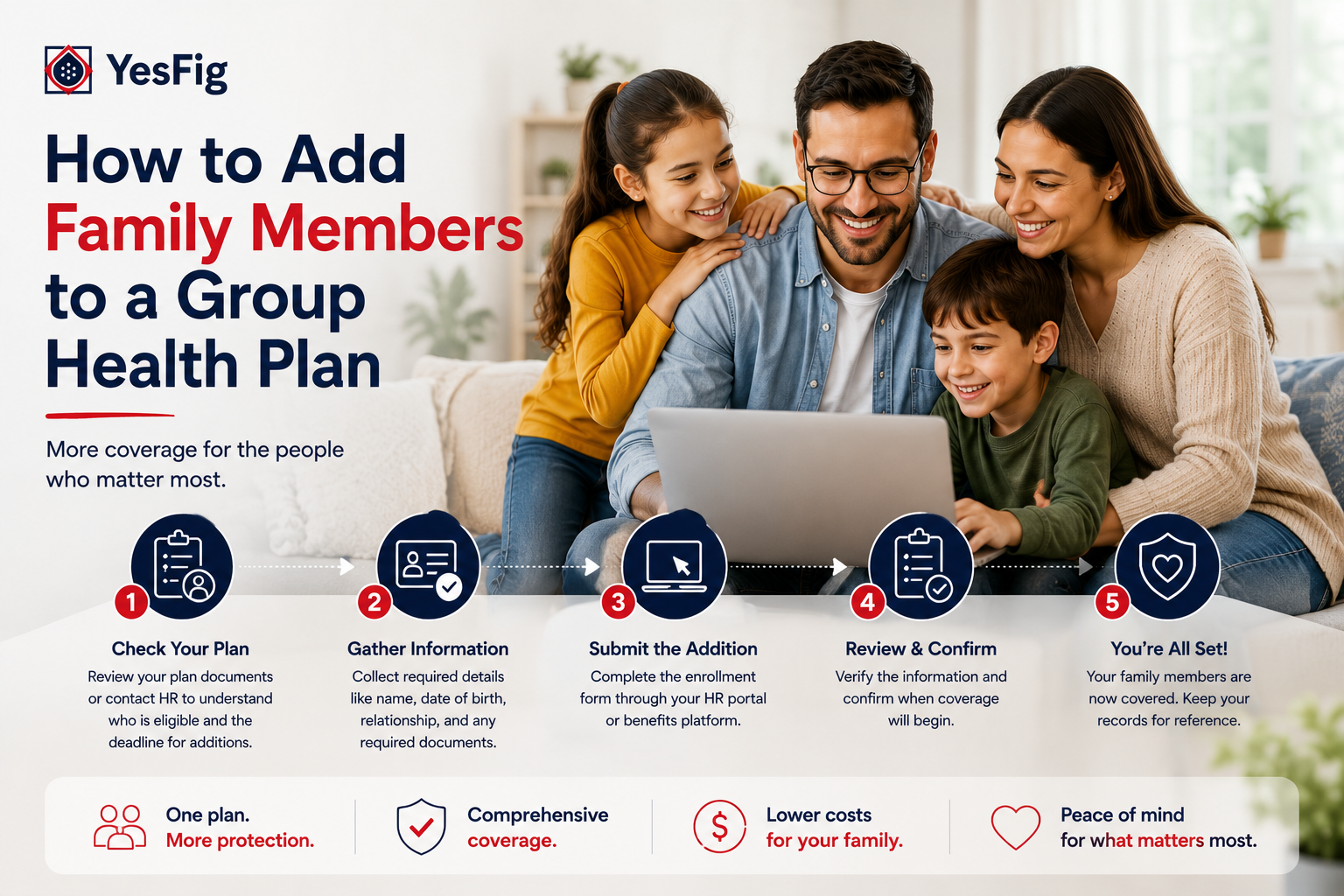
Here's the whole process boiled down to three steps:
- Confirm eligibility and timing. Make sure the person qualifies as a dependent and that you're in an open enrollment or qualifying-event window.
- Gather your documents. Pull together proof of the relationship or event before the deadline hits.
- Enroll through your employer. Submit your forms and documents to HR, and confirm the coverage start date.
Do that within the window and your family member is covered without a gap. For more on group coverage and benefits, the Yesfig blog breaks it down without the jargon.
Frequently asked questions
Who can I add to my group health plan as a dependent?
Usually your spouse and your children, who can stay on the plan until age 26 under federal rules. In California, you can also typically add a registered domestic partner on the same terms as a spouse. Parents, siblings, and other relatives generally don't qualify, so check your plan's specific definition of a dependent.
When can I add family members to my group health plan?
During open enrollment, when you can make changes for any reason, or within a special window after a qualifying life event like marriage, birth, adoption, or losing other coverage. That window is often around 30 days. If you miss it, you usually have to wait until the next open enrollment to add the person.
What documents do I need to add a dependent to health insurance?
You'll usually need proof of the relationship or event. A marriage certificate for a spouse, a birth certificate or adoption papers for a child, or proof of lost coverage if someone is joining because they lost their own plan. Submit these through your employer or HR, not directly to the insurer, within the enrollment window.
Does adding a family member increase my health insurance cost?
Yes. Adding dependents raises your premium because more people are covered, and many employers contribute less toward dependent coverage than toward the employee's own. Premiums are often paid pre-tax through payroll. If your spouse has their own workplace plan, compare the cost of adding them to yours against keeping them on theirs.
Is my newborn automatically covered on my group health plan?
Often for a short period, but not permanently. Many plans cover a newborn automatically for the first days after birth, but you still must formally enroll the baby within the qualifying-event window to keep the coverage going. Submit the birth certificate and enrollment forms through HR quickly so there's no gap in your child's coverage.
Adding a family member to your group plan comes down to acting inside the window with the right paperwork. Aisha pulled her baby's birth certificate, notified HR within days, and had the newborn covered from the start, no scramble and no gap. Know the rules ahead of time, and a big life event won't turn into a coverage headache.
Ready to offer coverage that supports families?
Get a group health quote for your business with Yesfig, available across California. Plans are priced around your team, and a licensed advisor can set up clear enrollment so employees can add their families with ease. Coverage your people can count on.
About the Author

Mathew Bahadori
CEO, Yesfig Insurance
Leading the company’s mission to make insurance more accessible, modern, and customer-focused. With a passion for innovation and personalized service, he continues to help individuals and families find smarter coverage solutions for life, auto, home, health, and business insurance.